snipaste picgo
AppImage 缺少依赖
sudo apt install libfuse2 wl-clipboard
Snipaste
[Snipaste客户端]https://www.snipaste.com/download.html
启动APP后可以从/tmp/.mount_SnipasXXXXX中找到png图标
下载 AppImage 格式, 添加到 Applications
vim /usr/share/applications/picgo.desktop
1 | |
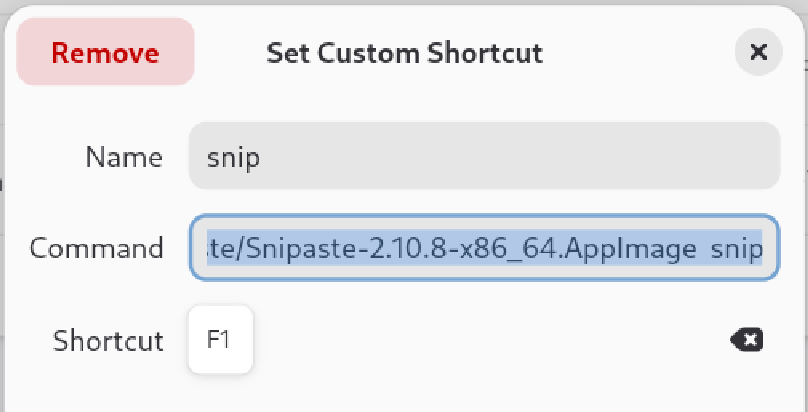
wayland无法trap F1 shortcut
在gnome的shortcut list中添加/path/Snipaste.AppImage snip
flameshot ubuntu 截图工具
sudo apt install flameshot
Picgo
- PicGo客户端
- 下载 AppImage 格式
- 添加到 Applications
vim /usr/share/applications/picgo.desktop
1
2
3
4
5
[Desktop Entry]
Type=Application
Name=picGo
Exec=/path/to/picgo/PicGo-2.3.1.AppImage
Terminal=false - chmod 777: 添加权限
启动picgo时报错sandbox相关
The SUID sandbox helper binary was found, but is not configured correctly. Rather than run without sandboxing I’m aborting now. You need to make sure that /tmp/.mount_PicGo-r9KnKV/chrome-sandbox is owned by root and has mode 4755.
- 运行时添加免沙箱命令
--no-sandbox 启用非特权用户命名空间克隆
1 | |
编译
linux下有bug,配置了静默启动还是会有mini窗口
- 部署docker
- 安装 elctron
- 依赖: build instructions linux
apt install -y npm nodejs
npm install --legacy-peer-deps- 修改代码
1 | |
npm run build: 生成在dist_electron/
snipaste picgo
https://gjorn4389.github.io/2023/12/21/os_ops/snipaste-picgo/